

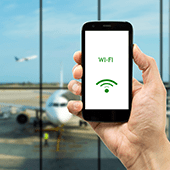
 From answering emails and using online productivity suites to browsing Facebook and streaming YouTube videos, a fast and reliable internet connection is a must. But what do you do when there are connectivity and speed issues? Here are some solutions to five of the most common Wi-Fi worries.
Range constraints
Wi-Fi works via radio waves that are broadcast from a central hub, usually a piece of hardware known as a router. To avoid a weak signal in your office, make sure:- Your router is placed in a centralized location and not tucked away in the corner.
- Your Wi-Fi antennae are either in a fully horizontal or vertical position for optimal signal distribution.
Slow speeds
Despite a high-speed or fiber optic internet connection, slow load times can still occur for a number of reasons. To optimize speeds, try the following:- Make sure your router is located in the same room as the devices connecting to it.
- Install more routers to better accommodate a high number of connected devices.
- Close bandwidth-intensive applications such as Skype, Dropbox, YouTube, and Facebook.
- Disable your router’s power-saving mode.
- Create a new router channel to avoid network bottlenecks.
Connection issues
We understand how frustrating it can be when the Wi-Fi network shows up on your device but still won’t connect. Before you give up, these solutions might help:- Determine whether your Wi-Fi connection is the problem or if your internet is down by plugging your laptop directly into the router via an Ethernet cable. If you can’t get a connection, then Wi-Fi isn’t the culprit.
- Factory reset your router with a paperclip or a pen and hold down that tiny button for about 30 seconds.
- Try rebooting your device.
Unstable connections
Random hiccups in your Wi-Fi connection are normal from time to time. However, if they become a constant nuisance in your office, try the following quick fixes:- Move your router to a different spot or even a different room.
- Avoid having too many routers in the same location, as that can confuse your device.
Network not found
Router glitches can result in your Wi-Fi network not appearing at all. Two solutions that can resolve this problem are:- Disconnecting the router from the power source and waiting at least 30 seconds before reconnecting it.
- Replacing an old router; if it’s over three years old, you’re probably due for a replacement.
Published with permission from TechAdvisory.org. Source.